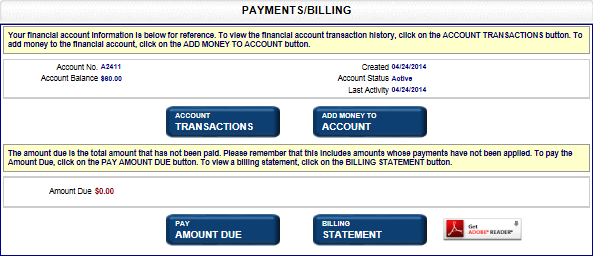
If you submit a filing to your jurisdiction's office (not online) and do not immediately pay for the filing, a billing statement may be forwarded to you. The online application allows you to pay any outstanding amounts using the Payments and Billing screen. The amount you enter will display in both Liens and Business Entity shopping carts, and you will not be able to add another filing until your payment has been processed.
How to pay amounts due:
Select the Payments and Billing link to open the associated screen. If an amount is due, it displays in the Amount Due field. If not, a message to that effect displays. Note that 'in progress' filing fees do not appear. In this example, a payment is due.
Select the Pay Amount Due button. The screen refreshes to display the Payment Amount field.
Enter the Payment Amount and then select Next: Shopping Cart. The Shopping Cart displays your payment details. Refer to Shopping Cart - BE and Shopping Cart - Liens for instructions on how to continue processing.
Related Information