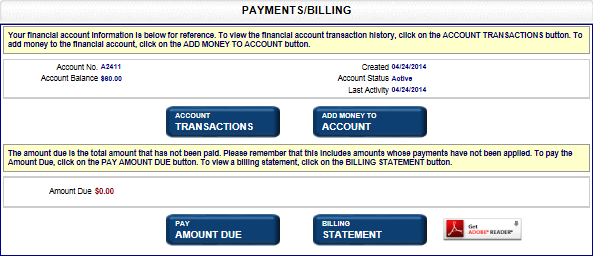
Payments and billings for your account are managed in the Payments/Billings screen. Funds can be added to your financial account, payment methods can be changed, and account transactions and billing statements can be viewed. In order to view your billing statements, you must have the Adobe Reader software installed on your computer. Select the Get Adobe Reader button to download a free version from Adobe.
How to access the payments/billing screen:
After logging in, select the Payments and Billing link in the Manage My Account pane. The Payments/Billings screen displays:
Note: If your jurisdiction has implemented auto-payments, you may be able to manage payment information via the Manage Payment Methods screen. New payment methods can be added and existing payment methods can be modified and deleted as long as the payment method is not used for any subscriptions. Contact your jurisdiction if you have questions.
Related Information