SystemWORKS allows you to enter details about shares (stock) in your company. Note that only one current stock of a given class can be held at any point in time. The terms 'share' and 'stock' are used interchangeably.
Notes:
How to add stock:
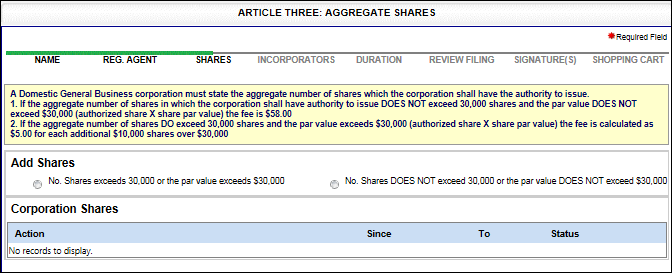
After navigating from the previous screen, the Aggregate Shares screen displays.
Select the applicable radio button regarding the number of shares/par value of your stock. The screen refreshes to reflect your selection.
If you select No. Shares exceeds 30,000 or the par value exceeds $30,000, provide the following:
Select a Class from the drop-down list
Enter the number of Issued Shares (ensure the number of issued shares does not exceed the number of authorized or an error message displays)
Enter the number of Authorized Shares
Select the applicable radio button: Share Par Value (enter amount) or No Par Value
Enter Share Details (pertinent notes about the stock) in the text field
If you select No. Shares DOES NOT exceed 30,000 or the par value DOES NOT exceed $30,000, select the Next: Incorporators button to display the Incorporators screen. See Step 4.
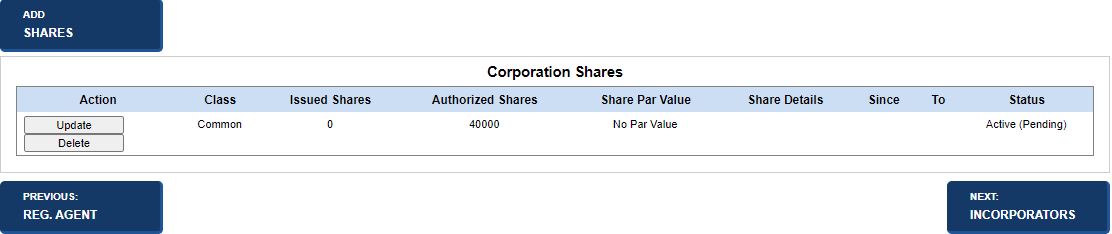
Displays Add Shares screen; add shares per instructions in this section.
Modifies the shares. See below for details.
Delete
Removes the shares. See below for details.
Previous: Registered Agent
Returns to the Registered Agent screen.
Saves entered information and displays the Incorporators screen.
How to update stock (same filing):
Select the Update button in the Corporation Shares table. The Update Shares screen displays information about the selected stock.
The Corporation Shares table updates with your changes.
How to delete shares (same filing):
Select the Delete button in the Corporation Shares table. A confirmation message displays.
Select OK to close the message and delete the shares.
The Corporation Shares table updates with your changes.
How to make a stock previous/current (stock in active status exists of same class being added):
After selecting the applicable corporation from search results, select an option from the Filing Type drop-down list on the Details screen. Refer to Filing an Amendment for additional information.
Navigate through applicable screens.
Select the Next: Share Increase button to display the associated screen.
Note: If you attempt to make all shares previous, an error message displays. At least one current stock is required.
Related Information