Searching for a Business Entity
Business entity searches can be performed
free of charge (log in not required) or while you are logged in to the
jurisdiction's Web site. Searches can be initiated for business entities
and registered agents, by charter number or business ID. Business entities
with a status of Pending New,
Other or Rejected
will not be displayed in search results. Refer to
Perform
Name Availability Search for information on how to perform
that type of search.
Notes:
- If another filing for the same business entity
is in process or is of the same filing type as the current filing,
you will be alerted to try again later. The current filing cannot
be continued but can be restarted when the other filing has been completed
(accepted/rejected).
- Screens, fields and labels that display in images
below are configurable based on your jurisdiction's implementation
and may not reflect your filing type.
- If you need to re-enter information, select the
button labeled Previous to
return to the screen you were on prior to the current screen.
- If your filing requires a two-step review process,
an internal Secretary of State processor must review your filing for
compliance before it can be accepted or rejected. After making payment,
you will be notified via the email address set up during account creation.
To view correspondence for your filing, refer to Viewing
Correspondence-BE for information about accessing your filing
records.
- Contact your jurisdiction's office if you have
questions about this or any of the procedures outlined in SystemWORKS
Help.
How
to search for a business entity:
- Navigate to Corporations
Divisions dashboard.
Select
the Search tab to display
the Search for a Business
Entity screen.
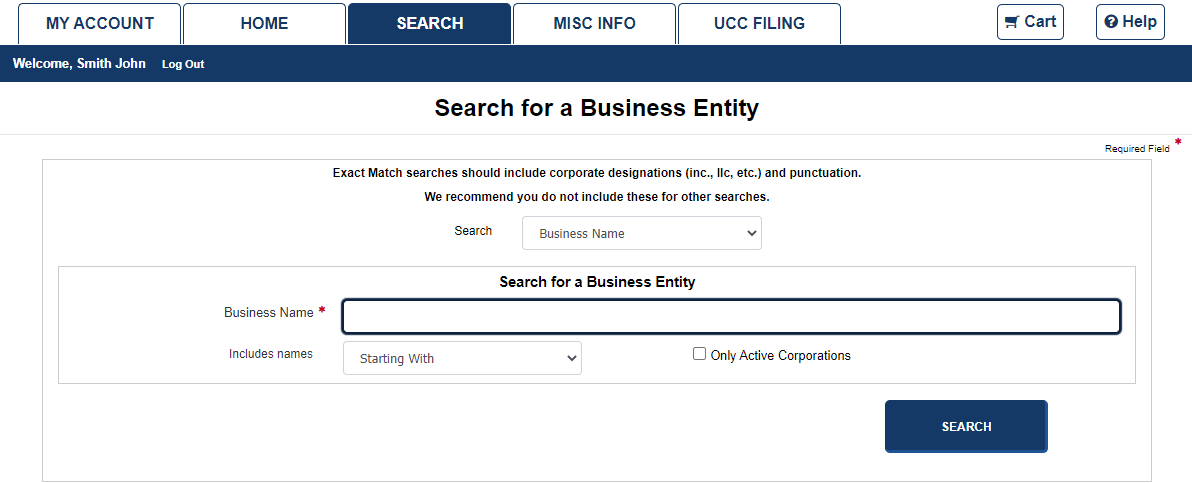
Select an option from the Search
drop-down box. The screen refreshes to display search options reflecting
your selection. In this example, the option is Business Name. Refer
to Perform
Name Availability Search, Search by Charter No., and
Search
by Registered Agent for applicable details.
Enter the Business
Name in the text box.
Select an option from
the Includes names drop-down
list. If you select Exact Match,
include corporate designations and punctuations, i.e., Inc., LLC.
Select the Only
Active Corporations check box if you wish to limit your search
to those corporations that have an Active
status.
Select
the Search button to display
search results.
Related Information
Perform
Name Availability Search
Search
by Charter No.
Search
by Registered Agent
Viewing
BE Details