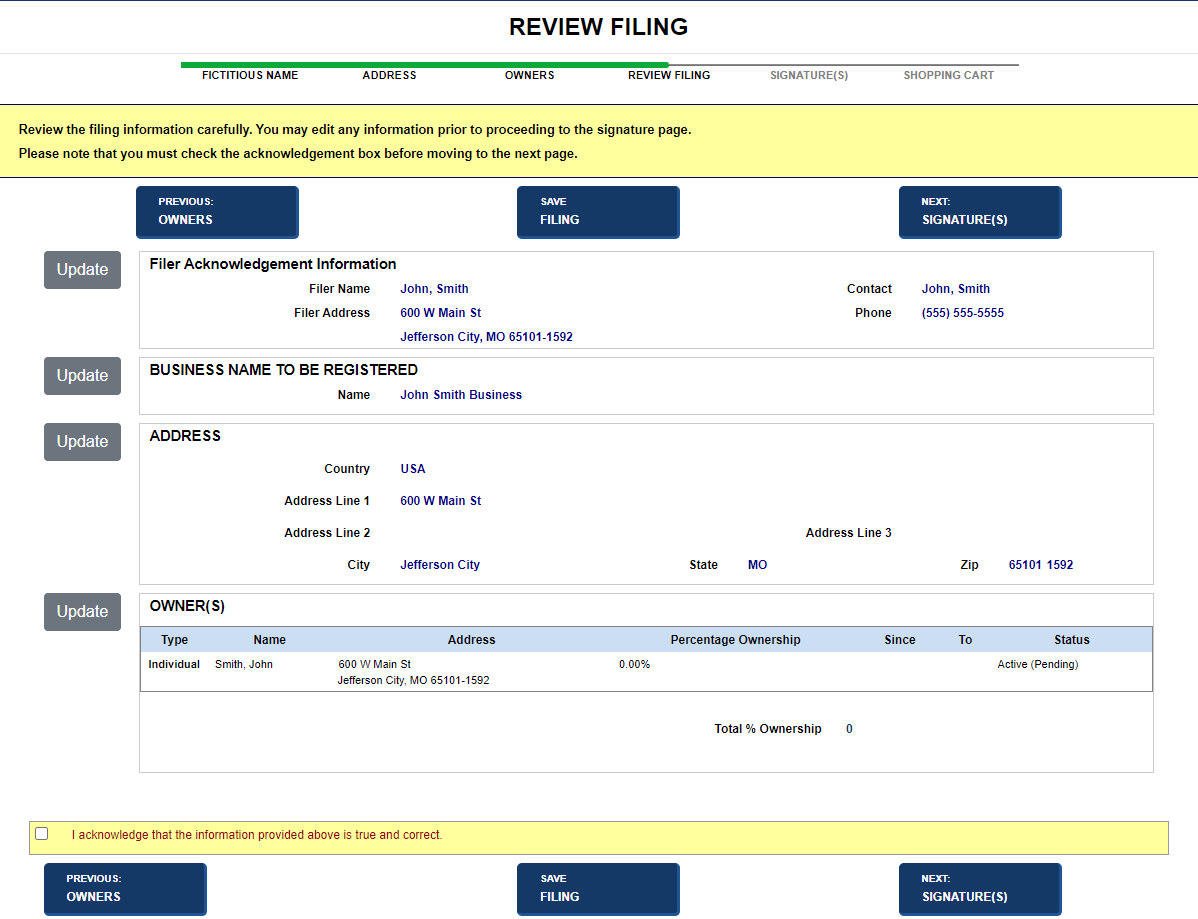
The Review Filing screen displays the information you entered for your filing. The screen is laid out in sections that reflect your filing type. Information can be updated and additional documentation can be attached, if needed. Navigation to other parts of the application is also available. Fields and labels that display in images below may not reflect your jurisdiction's implementation.
How to use the review filing screen:
Navigate to the Review Filing screen to display details about your filing. In this example, a corporation is being created.
Returns to the Cert. Existence screen
Saves the filing for processing at a later time. Navigate to the In Progress screen to locate the filing when needed.
Displays the Signature(s) screen. Refer to Managing Signatures. Make sure you also select the Acknowledgement check box if it is configured to display.
Related Information