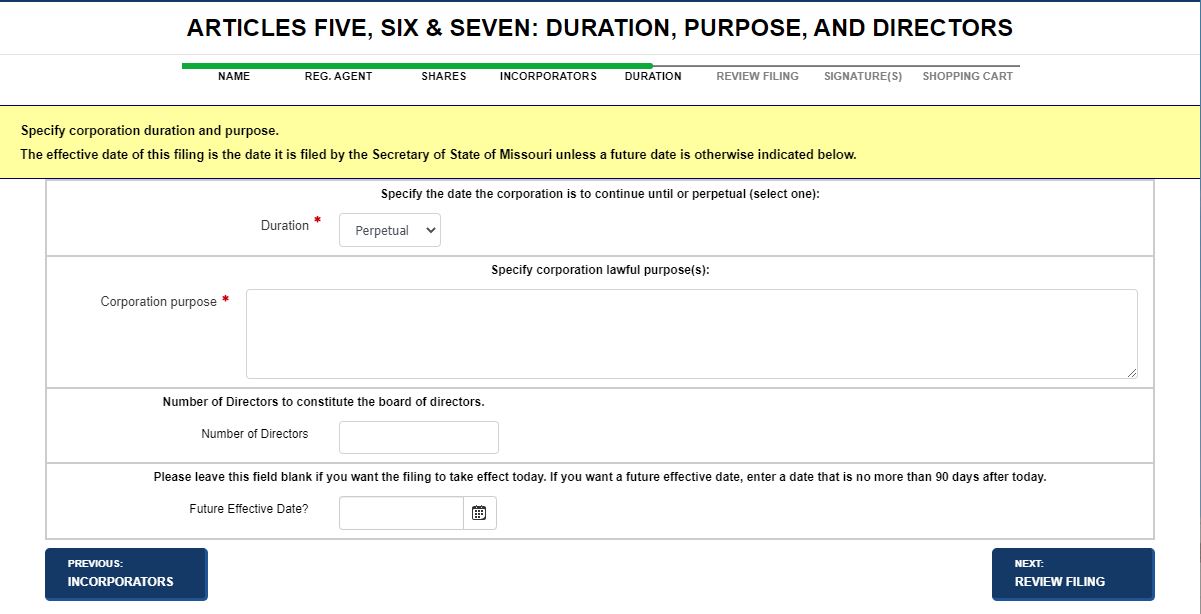
Depending upon your filing type/domesticity, the General Information screen may display a different page header. For example, when filing Articles of Incorporation, the page header displays as Articles Five, Six & Seven: Duration, Purpose and Directors. When filing a Change of Registered Agent, the page header displays as Corporation Details. If you have any questions about the screen or page name that displays during filing, please contact your jurisdiction.
Note: Fields and labels that display in images below may not reflect your jurisdiction's implementation. Contact your jurisdiction's office if you have questions about this or any of the procedures outlined in SystemWORKS Help.
How to complete duration:
Returns to the Incorporators screen.
Saves the information and displays the Review Filing screen. Refer to Reviewing Your Filings for additional information.
Related Information