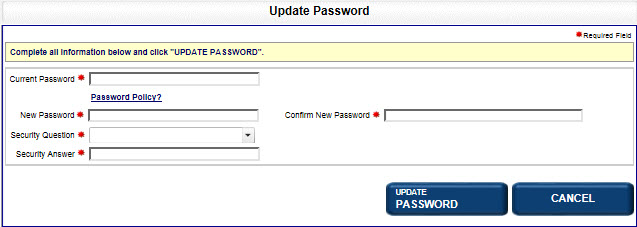
After creating a password during initial account creation, you can change it at any time. If your password expires according to the jurisdiction's password expiration policy, you will be redirected to the Update Password screen. When updating your password, your old password cannot be reused and your new password must meet the jurisdiction's password policy requirements. Select the Password Policy? link to review these requirements.
How to update your password:
Select Update Password. The Update Password screen displays. If your password has expired, a message to that effect displays above the update password message.
Enter your Current Password in the text field.
Enter your new password in the New Password text field; re-enter the information in the Confirm New Password text field. If you have any questions concerning the jurisdiction's password policy, select the Password Policy? link.
Select a Security Question from the drop-down list and provide a corresponding Security Answer.
Select Update Password to reset your password. To return to the Home page, select the Home tab.
Related Information