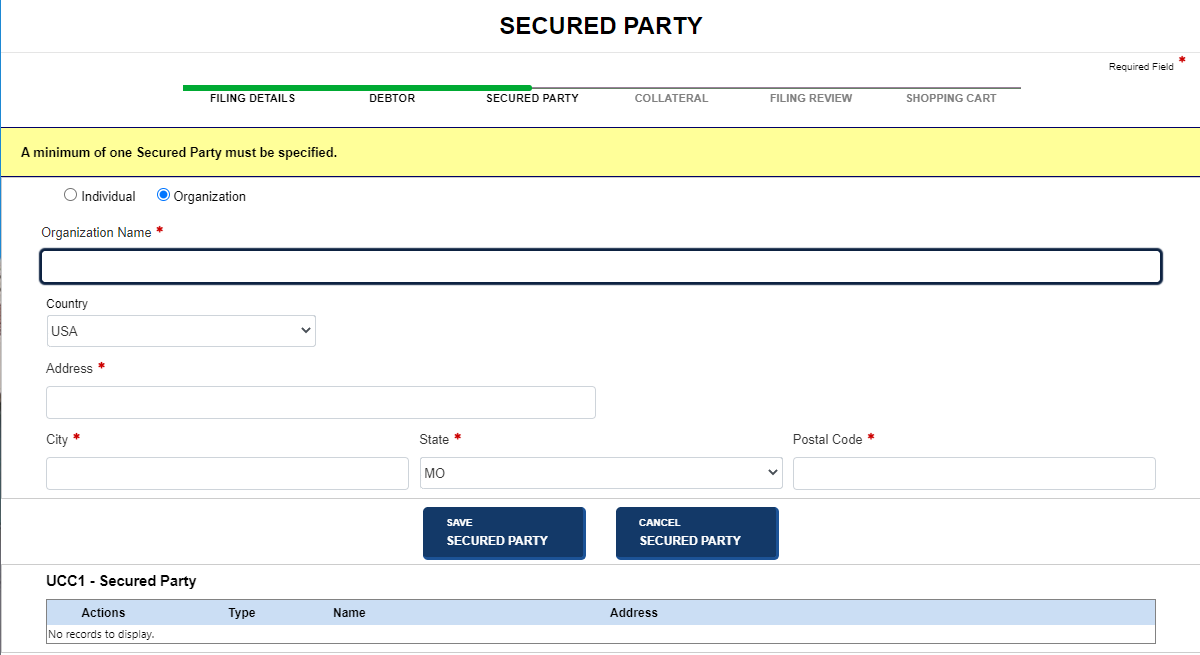
An initial filing records information about one or more secured parties. Secured parties may be added, updated, deleted or details copied for another secured party.
How to file an initial filing - add a secured party:
Navigate to the Secured Party screen (refer to Entering Filing Details for additional information).
Select the Add Secured Party button; the screen refreshes to display data entry fields.
Select Individual or Organization to display appropriate text fields.
Enter the secured party's name and address. For non-US addresses, the Postal Code field can accept up to 20 characters.
Select the Save Secured Party button to update the secured party details table. You can add another secured party or modify an existing secured party.
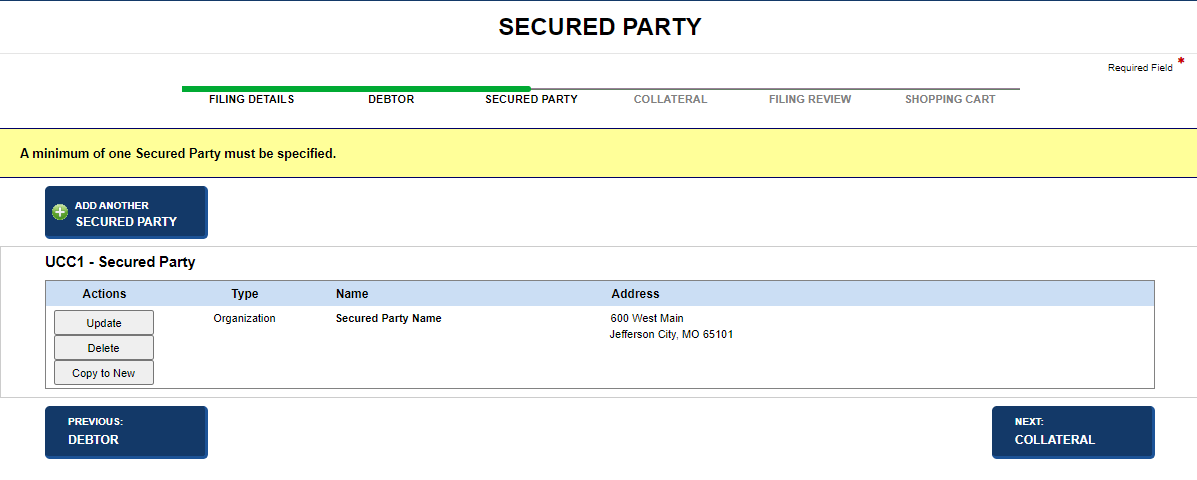
Select one of the following options:
Add Another Secured Party
Adds another secured party.
Update, Delete, Copy to New
Modifies current secured party information.
Previous: Debtor
Discards previously entered information and returns to the Debtor screen.
Next: Collateral
Saves entered information and displays the Collateral screen.
How to add another secured party - same filing:
Select the Add Another Secured Party button. Data entry fields display.
Add secured party information as above.
To continue, select options as outlined above.
How to update a secured party - same filing:
Select the Update button adjacent to the desired secured party. Editable information about the secured party displays.
Modify the secured party's details.
Select the Save Updates button.
To continue, select options as outlined above.
How to delete a secured party - same filing:
Select the Delete button adjacent to the desired secured party. A confirmation message displays.
Select OK to close the message and delete the secured party.
The secured party details table is updated.
To continue, select options as outlined above.
How to copy a secured party - same filing:
Select the Copy to New button adjacent to the desired secured party. Information about the selected secured party displays.
Modify the information, as applicable.
Select the Save Secured Party button. The secured party details table updates with the new secured party information.
To continue, select options as outlined above.
Related Information