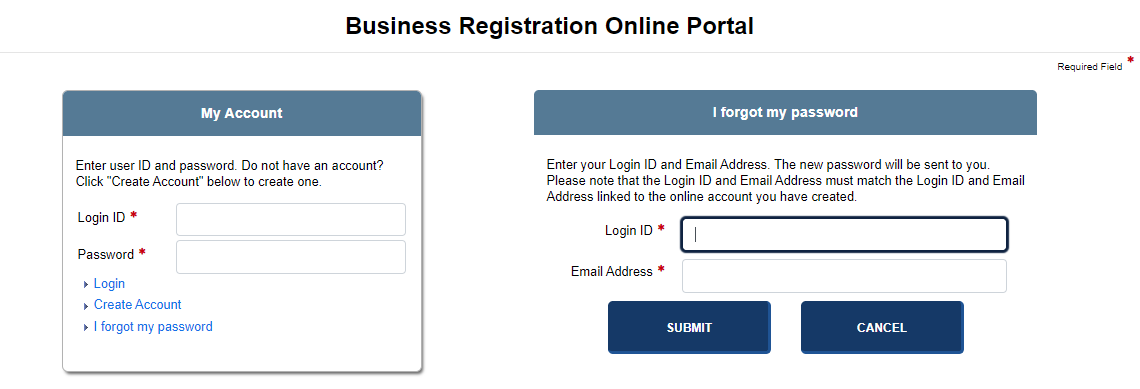
If you forget your password, the application provides a link so that you can retrieve your password from your email account (which is associated with your online account). The new password you specify must be unique and meet certain requirements or an error message displays.
How to retrieve a forgotten password:
Log in to the jurisdiction's Web site; either the Corporations Online Portal or the UCC Online Portal displays.
Select I forgot my password. A screen containing User ID and Email Address text fields displays:
Enter your User ID and Email Address.
Select the Submit button. The system displays a confirmation message and delivers a temporary password to your email address. If the system cannot find a match for your user ID and email address, you will be instructed to contact the jurisdiction's online support staff.
Copy the temporary password and then select the link in the email (Click this link to enter your new password). You will be redirected to the Log In screen.
Enter your User ID and temporary password into the text fields.
Select the Login link to access the application.
Related Information