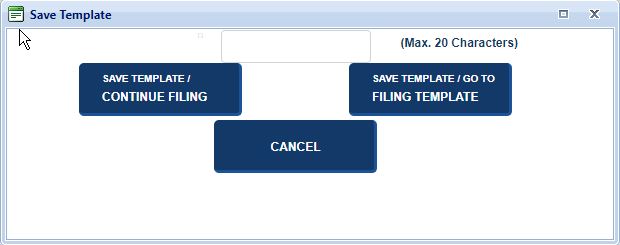
The application allows you to create a template from a filing. Template names cannot exceed 20 characters and cannot be duplicates. After saving, you can either continue filing or go to the filing templates screen.
How to create a new template:
On the Review Filing screen, select Save as Template. The system displays the Save Template modal.
Enter the Template Name in the text field.
Select one of the following options:
Save Template / Continue Filing
The template is saved to the My Templates table and associated with your account; you can continue filing activities.
Save Template / Go to Filing Templates
The template is saved to the My Templates table and associated with your account; you are directed to the Filing Templates screen.
Cancel
The Save Template modal closes and the Filing Review screen displays.
Related Information