
The Home Page displays after you log in to the application. There are a series of links and buttons which enable you to access your account, manage subscriptions, perform filings and searches, and view filing history, among other important activities. You can also choose to view or hide the jurisdiction's news and announcements. For additional information on quick links and tabs, refer to QuickLinks and Tabs.
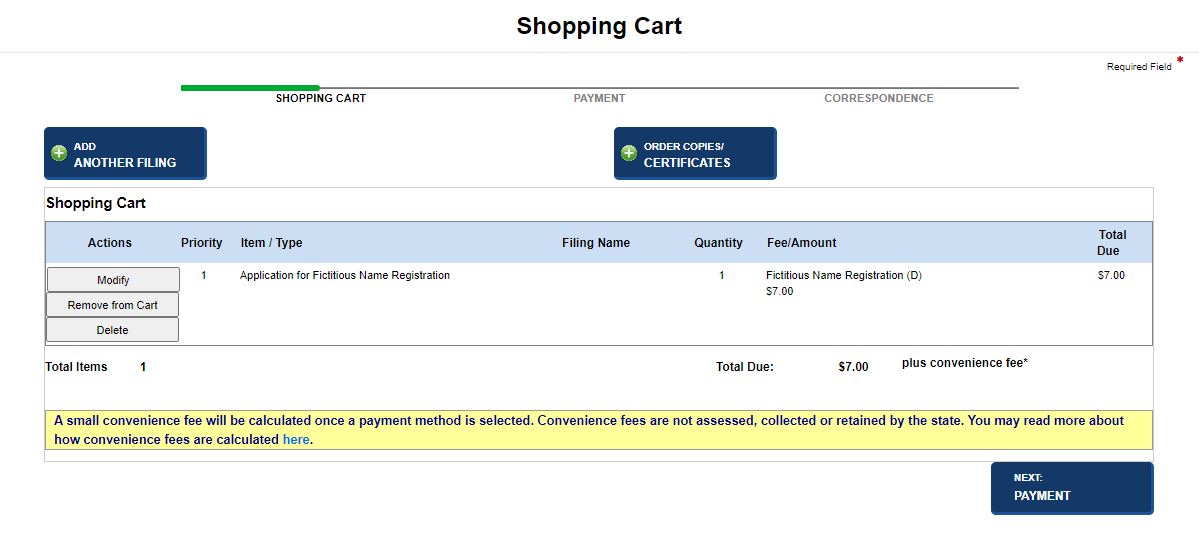
The shopping cart is accessible from anywhere in the application. Select the Shopping Cart button to display contents of your shopping cart. Your filings and requests can be modified, removed from the cart or deleted.
Select the Online Help button to access SystemWORKS help. The button is located adjacent to the Shopping Cart button. Online help provides step-by-step instructions for processing all your filings and requests as well as managing your account.

Related Information
QuickLinks and Tabs