Viewing Order Summary/Correspondence-Liens
Details about your filings, requests and related correspondence can
be viewed from the Order Summary
screen after payment has been made and your filing is accepted/rejected.
How to view order
summary/correspondence:
Select
the View Documentation button
on the Payment Information
screen. The Order Summary
screen displays.
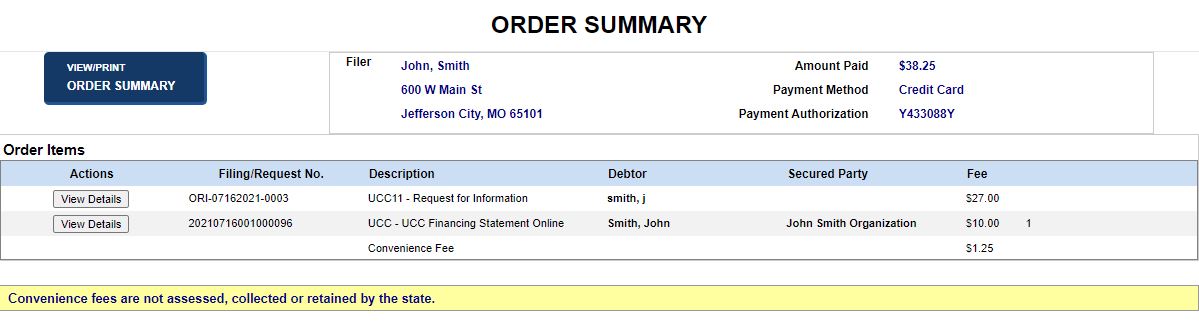
- Select the View/Print Order Summary button
to open the order summary in a separate window.
- To print the order
summary, use your browser's print settings. Close the window when
finished.
- Select the View Details button to open
Filing Details.
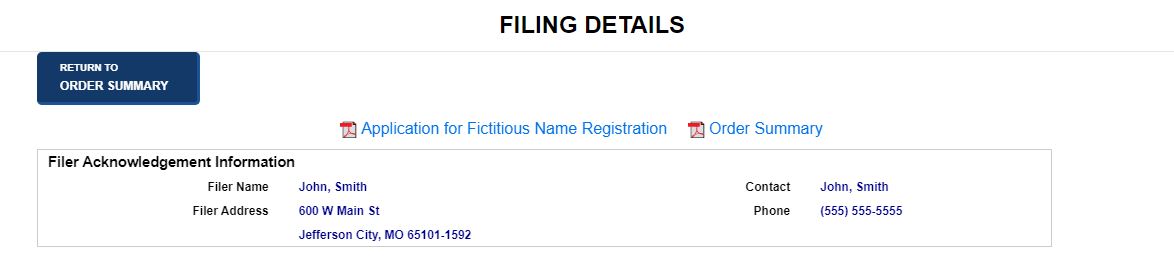
- Select a link to display a PDF of the specified
correspondence and filing documents.
- Select the Return
to Order Summary button to return to Order
Summary.
Related Information
Managing
Payments